
What a Phu Quoc Hotel or Villa Website Needs Before Guests Inquire
Check whether guests can understand the accommodation, compare their options and send a useful request before commissioning a property website project.
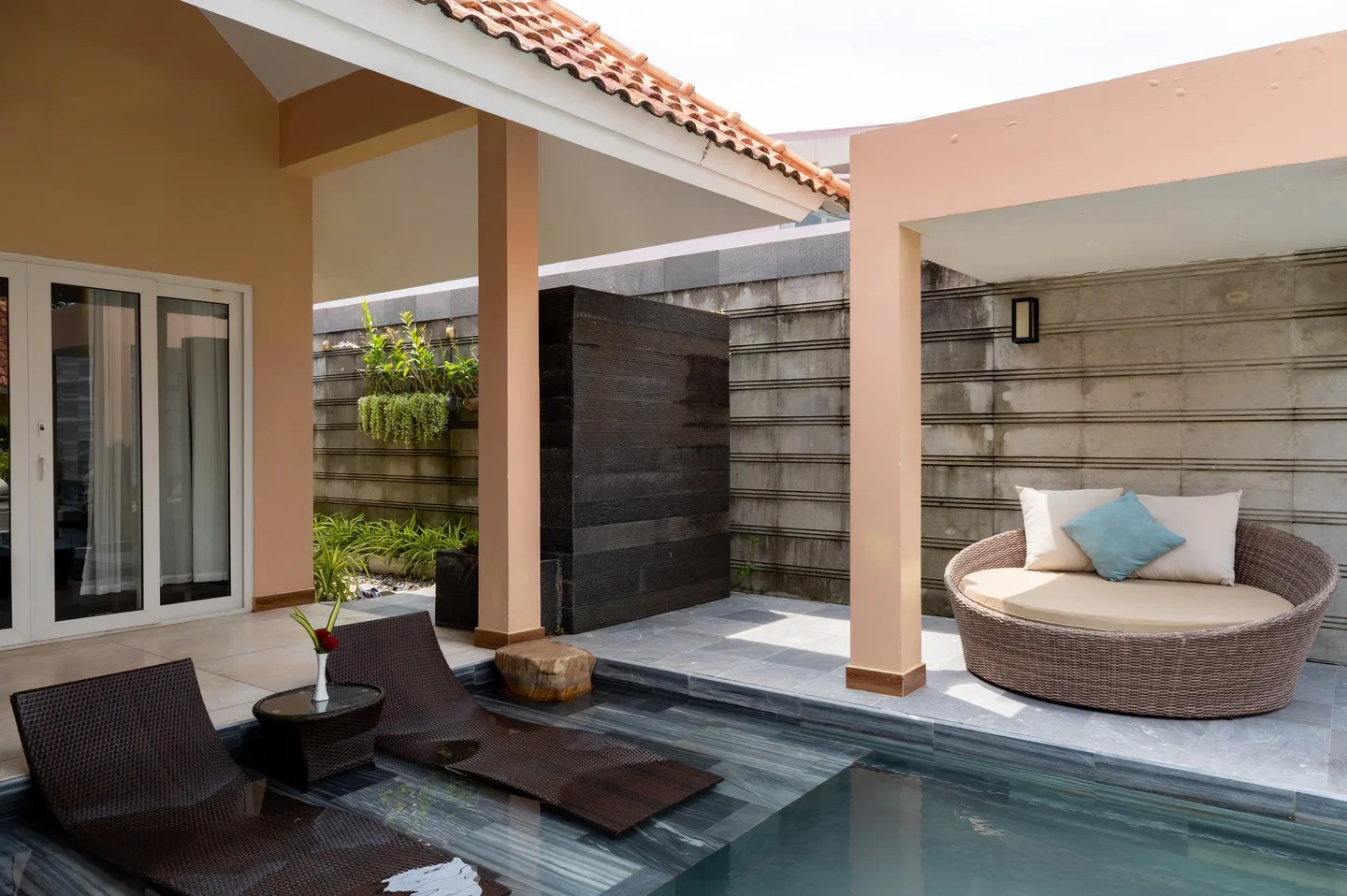
A guest may like the opening photograph and still be unable to decide whether your hotel or villa fits the trip. Is the price for one room or the whole villa? Can the beds suit the group? Is the pool shared? Where does a request go? These questions connect the website to the work your reservations team does every day.
Before commissioning a redesign, follow one realistic journey from finding an accommodation option to receiving a response. Use the checks below to separate missing information from a broken interaction. The supplied photographs illustrate property content decisions; they are not a connected property gallery or evidence of a website increasing bookings.
Explore our business services and use these guides to prepare your project brief.
Choose the guest decision and the action your team can support
Start with the accommodation you sell and the questions you need to resolve. A couple comparing a room has a different decision from a family considering an entire villa. Identify whether visitors need to choose a room category, understand a whole-property arrangement or discuss a stay that requires a tailored response. Give that decision a clear place in the page structure.
Then distinguish an availability request, a conversation with reservations and a booking engine. A form can collect dates without checking live inventory. A messaging button can start a conversation without reserving a room. Use labels that describe the actual next step, and explain when the guest will receive availability or confirmation through your agreed process.
For example, a whole-villa inquiry should make the chosen villa and guest group clear to the receiving team. A live booking route should take the visitor to the correct property and preserve the relevant selection where the provider supports it. Agree what happens when that transfer cannot preserve dates or occupancy, rather than leaving guests to discover the mismatch.
Make room and villa choices possible to compare
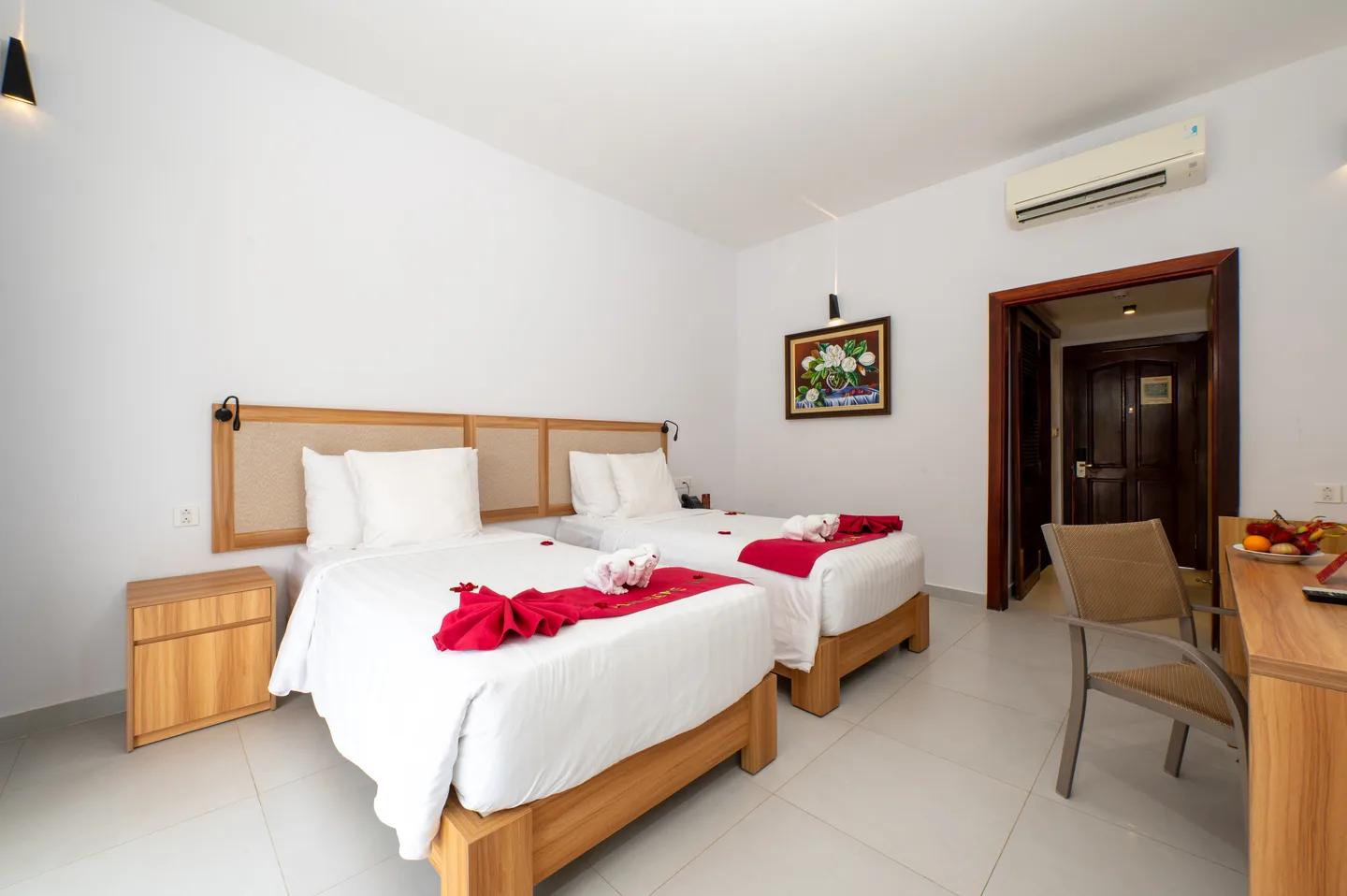
Use a consistent set of facts for each option: what is rented, sleeping arrangement, permitted occupancy, bathroom arrangement, relevant facilities and the differences that justify choosing it. Confirm those details with the property team. Do not use the most attractive room photograph to represent every category if the view or layout differs.
The twin-bedroom image below makes the visible bed arrangement clear, but it cannot establish bed dimensions, permitted occupancy or which category contains that room. Photographs and approved written facts should work together. Keep the category name consistent across the room page, gallery, inquiry selection and booking provider so the team can recognise what the guest chose.
For a villa, separate bedrooms from the overall unit and explain which living areas, kitchen and outdoor facilities belong to the booking. If some features vary between units, show the variation instead of hiding it inside a generic amenities list. Describe access features with verified details; a spacious-looking photograph alone cannot establish suitability for a particular access need.
| Guest question | Information to confirm on the page |
|---|---|
| What am I requesting? | Room, suite, individual villa or entire property, using the same name as the reservation system. |
| Can our group stay here? | Approved occupancy and sleeping arrangements, including any conditions for additional guests. |
| What belongs to this option? | Its bathroom, living space, view and facilities, separated from shared amenities. |
| What changes the cost or terms? | Where to check current rates, inclusions, extra charges and the terms for the selected stay. |
| What needs a direct conversation? | Specific access, arrival or group requirements that the published information cannot resolve. |
Give each photograph a job and enough context to be accurate
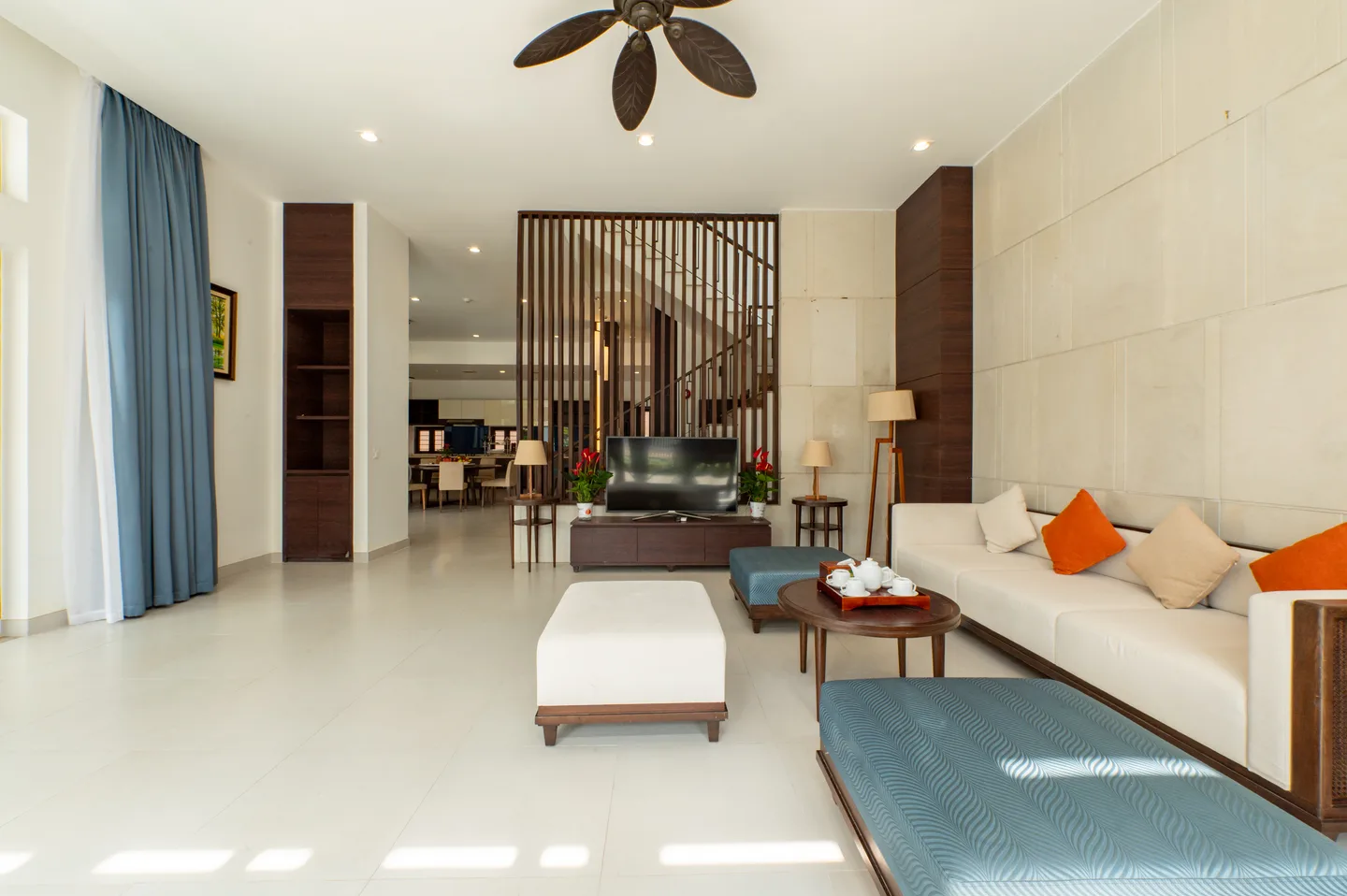
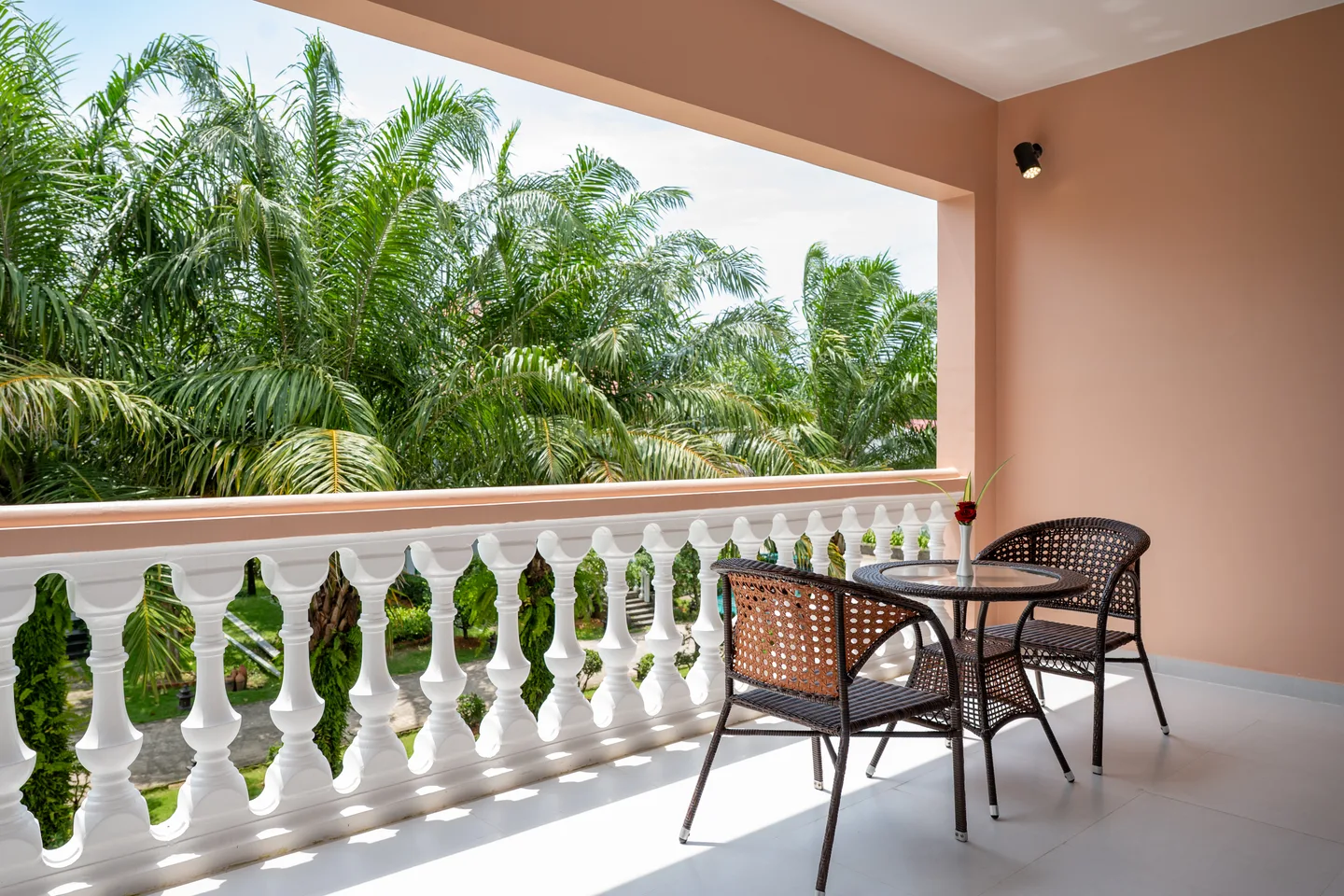
Audit the gallery against the questions above. An exterior can introduce the building and pool, a room view can explain layout, and a living-area photograph can help someone understand shared space. Decoration details can support the atmosphere, but they should not take the place of the spaces the guest is choosing. Link relevant images to the right room or unit.
A useful caption can identify the room category or distinguish a shared pool from a unit-specific facility when those facts are confirmed. The photographs in this guide come from supplied interior and exterior collections; their placement here does not mean the rooms and exterior belong to one property. Do not assemble a mixed library into an apparently complete villa gallery without verifying the relationship.
Review the current condition as well as the original image quality. A photograph taken before a renovation, a changed pool layout or a removed amenity may need replacement. If the website is missing a room view or an arrival image, put that gap into the production brief rather than filling it with an unrelated attractive scene.
Answer practical stay questions without scattering conflicting information
Give guests a recognisable property name, clear location and useful arrival instructions. Separate the property itself from nearby attractions or beaches. If a transfer, beach access or service requires another arrangement, explain the actual route or contact rather than letting a destination image imply it belongs to the accommodation.
Choose where changing information is maintained. Rates, availability, inclusions, arrival times and booking conditions need an approved source and an owner. A seasonal offer copied into several pages can remain visible after the reservations team has changed it. Keep the route to current information clear and make the scope of any quoted rate understandable.
Review English and Vietnamese journeys as complete experiences if both are offered. Navigation, category names, contact routes, form errors and next-step messages need attention along with descriptive copy. A visitor switching language should still understand which accommodation they were viewing and how to continue. Add further languages around the audiences and review capacity you can actually support.
Test the inquiry from the guest’s phone to the receiving team
Try a realistic request with arrival and departure dates, the room or villa choice, adults, children where relevant and a way to reply. Ask the reservations team which fields help them respond and which can wait for the conversation. Avoid making visitors enter a long production-style brief just to ask whether accommodation is available.
Check date and required-field errors, a successful submission and a failed submission. Confirm the actual destination receives the information and preserves the accommodation selection. The on-screen message should say what happened. If delivery fails, give the guest a usable next step; a reassuring success message cannot substitute for a request reaching the team.
Use a phone-sized screen to check the keyboard, date controls, form labels and any sticky contact buttons. Confirm that buttons do not obscure fields or essential terms. Where the journey moves to another provider or messaging app, test that handoff and the return route. A link opening successfully is only one part of a working inquiry process.
- The selected accommodation reaches the correct contact or provider.
- Dates and guest details remain understandable after submission.
- Required fields and errors are readable without zooming.
- Success and failure messages reflect the actual result.
- An agreed contact handles incoming requests and follow-up.
- Test submissions are clearly identified and cleared through the agreed process.
Make images and search pages support the same guest task
Keep useful room information available as readable page content, with clear headings and links between the property overview and accommodation options. Give each page a specific title and description that fit its actual content. Avoid multiplying near-identical location pages that offer no additional help to a guest choosing the stay.
Serve images at sizes appropriate to the layout, with meaningful descriptions where needed, and check how important photographs crop on a narrow screen. A large desktop opening image may lose the pool or building when reused behind mobile text. Decide whether another composition is needed before treating every image as interchangeable.
Assess loading, responsiveness and visual movement on representative devices. A development performance test can help diagnose a slow page, while real-user data, when available, reflects actual visits. Agree the test conditions and priority journeys; one score does not establish booking performance or guarantee rankings. Booking-provider and messaging behaviour belong in the review too.
Assign content ownership and measure the outcome that matters
Name who maintains room details, photography, offers and each language. Record who controls the domain, website, forms, analytics and any external booking account. The brief should identify everyday updates the property team needs to make and the changes that require development or provider support. Handover is easier to assess when it uses real tasks.
Before changing the site, agree what the business wants to learn and what data is available. Useful questions include whether accommodation pages lead to qualified requests, whether the team receives enough detail to respond, and where guests abandon the journey. Define qualified inquiry with the reservations team instead of equating every contact click with demand.
Keep inquiry submissions, conversations, booking-engine visits and confirmed reservations distinct. Compare results over a stated period with awareness of rates, availability, campaigns and seasonal demand. Without a baseline and consistent records, a new design or photograph cannot honestly be credited with a booking increase. Use the findings to prioritise the next improvement.
Send a website brief built around the problems you can demonstrate
Bring the current URL, a room or villa inventory, available images, the booking or inquiry system and examples of guest questions. Include mobile screenshots or a short account of a journey that fails, with the date and relevant device. State the intended guest action and any launch dependency, such as a new opening or photography still to be produced.
An existing site may need focused content and form improvements rather than a complete rebuild. Ask for the proposed pages, integrations, migration, redirects, languages, review stages and handover to be explicit. Photography, translation, ongoing maintenance and third-party fees need their own place in the scope when required. This makes proposals comparable before design work starts.
- Property identity, current website and approved accommodation inventory.
- Guest audiences, priority questions and intended next step.
- Existing booking provider, form destination and account owners.
- Current content, image gaps and language review responsibilities.
- A demonstrated problem, baseline data if available and an acceptance test.
- Budget guidance, approval lead and timing dependencies.
Research and references
Reference titles are shown in their original language.
- Existing website service and integration boundaries
- Existing commercial media production scope
- Google Hotel Center: property photo recommendations
- Expedia Group: property photography toolkit
- Google Search Central: image SEO and responsive images
- Web Vitals: testing and real-user measurement
- Google: hotel search and booking-link journeys
- Phu Quoc Villa: local property information and inquiry context