
A Hotel and Villa Photography Shot List for Phu Quoc
Build a shot list around accommodation choices, real guest questions and the places your team will use the photographs and films.
A property content shoot needs to explain what a guest can choose and what the stay includes. A dramatic pool image may introduce the place, but it cannot replace the room, bathroom or shared-space views needed elsewhere. The production brief connects those needs to spaces that can actually be prepared and accessed.
Use this guide to turn a broad request for hotel photography into a working inventory, shot list and handover plan. The real photographs are selected from supplied interior and exterior collections. They illustrate individual planning questions, not one verified property assignment or a documented before-and-after result.
Explore our business services and use these guides to prepare your project brief.
List the places the content will be used before counting photographs
Bring the actual website layouts, room pages, booking listings, sales material and campaign needs to the brief. For each, identify the decision the content should support. A room comparison needs a legible layout; an opening website image needs an introduction that works with the page design; a short film needs a sequence rather than a stack of unrelated highlights.
Separate missing information from a desire for more variety. If the current library has many pool views but no usable bathroom photographs, that is a coverage gap. If a room has changed since the last shoot, record the replacement needed and where the old image appears. A content inventory makes the reason for each new scene visible.
Agree priorities with the people who will publish the assets. A marketing team may want campaign images while reservations needs accurate room distinctions. Put both into the same brief and identify what is essential if a room becomes unavailable. The number of finished files should follow an agreed scope, not an assumption that every scene produces every format.
Map every room category and verify which features belong to it
Prepare a room or unit register using the names guests see when booking. Identify the representative room available to photograph, its bed arrangement, bathroom, view and category-specific features. Mark differences between units within a category so that the final selection does not quietly promise the best view or largest layout to every guest.
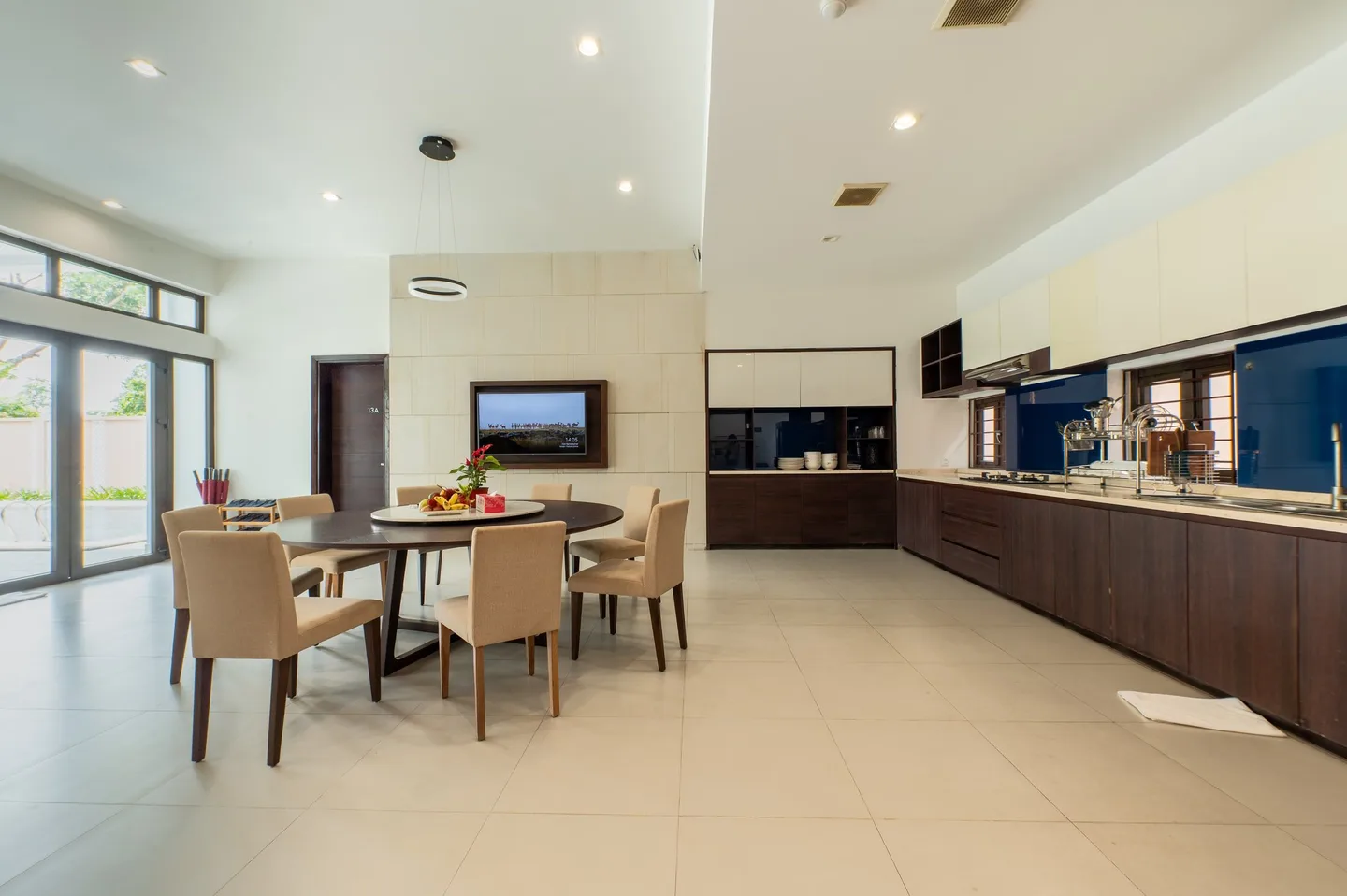
For a whole villa, identify bedrooms, bathrooms, kitchen, living areas, outside spaces and whether facilities are private or shared. Match each file to the correct unit or category during selection. The bedroom and kitchen photographs used here are separate visual examples; they do not establish that these spaces can be rented together.
A workable shot list contains more than a subject name. Add the guest question, destination, setup requirement and person who can approve the facts. This turns shoot-day choices into something the property and production teams can review together, and helps prevent a missing room type from being discovered only during upload.
Swipe horizontally to see all columns.
| Scene to consider | Question it should answer | Preparation or verification |
|---|---|---|
| Room overview and another useful angle | How are the beds, circulation and important features arranged? | Correct category, representative room and a clear setup. |
| Bathroom | What bathing and washing facilities belong to the accommodation? | Clean surfaces, accurate fixtures and reflection check. |
| View, balcony or terrace | What can guests see or use from this room? | Confirm the view and access belong to the named category. |
| Living, dining and kitchen spaces | What shared or private space supports the stay? | Define unit boundaries and which facilities guests can use. |
| Exterior, entrance and arrival route | Which building and approach should guests recognise? | Access, signs, vehicles and any current works. |
| Pool, dining and other key facilities | What is available, where and on what basis? | Operating status, shared use, guest privacy and readiness. |
Agree what ready means before reserving the room for photography
Give housekeeping and maintenance a practical preparation list. Check bedding, surfaces, curtains, lamps, furniture, glass and visible equipment. Identify who can resolve a defect or supply a missing item before the photographer arrives. A room being unoccupied does not necessarily mean it is ready for the planned views.
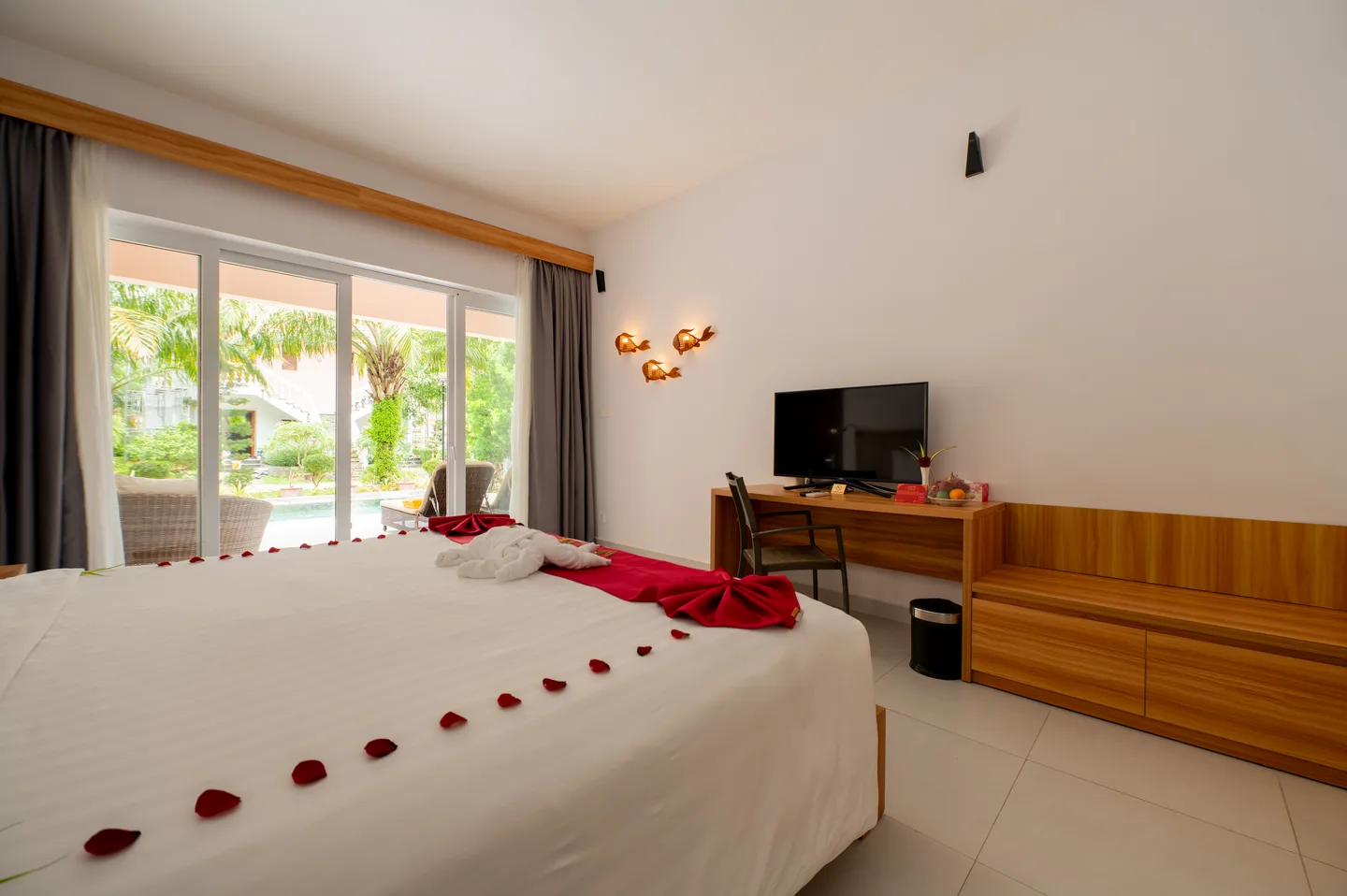
Review anything added for the photograph. Towels, flowers, fruit and table settings can change what a guest expects to receive. The bedroom image above includes decorative towels and petals, so it is a prompt to confirm whether that presentation is standard, a separately arranged setup or unsuitable for the intended listing. Do not let styling become an unstated inclusion.
Inspect reflections and the edges of the composition before approving a frame. Check mirrors, glass, screens and any visible camera position while the room is still accessible. If a frame needs correcting, agree whether another angle, a new photograph or permitted retouching is appropriate. The finished image must preserve the real facilities and layout.
- Housekeeping and maintenance contacts know the planned room and release time.
- Furniture, bedding and amenities reflect the intended guest offer.
- Screens, mirrors and glass are checked for unwanted content or reflections.
- Guest belongings, personal information and confidential documents are absent.
- The approval lead can confirm the category and styling before the room is released.
Build the production sequence around room access and operations
Ask the property team which rooms can be held, when they will be ready and when they must return to service. Put those windows next to the shot priorities. If only one example of a category can be accessed, identify it clearly and agree what happens if it is occupied, delayed or not representative on the day.
Coordinate kitchens, dining, pools and shared areas with their operating teams. An empty-space photograph, a prepared breakfast scene and a service moment have different requirements. Plan movement, resetting and equipment access between them. Do not treat a full operational property as an uninterrupted set or rely on guests staying out of the background by chance.
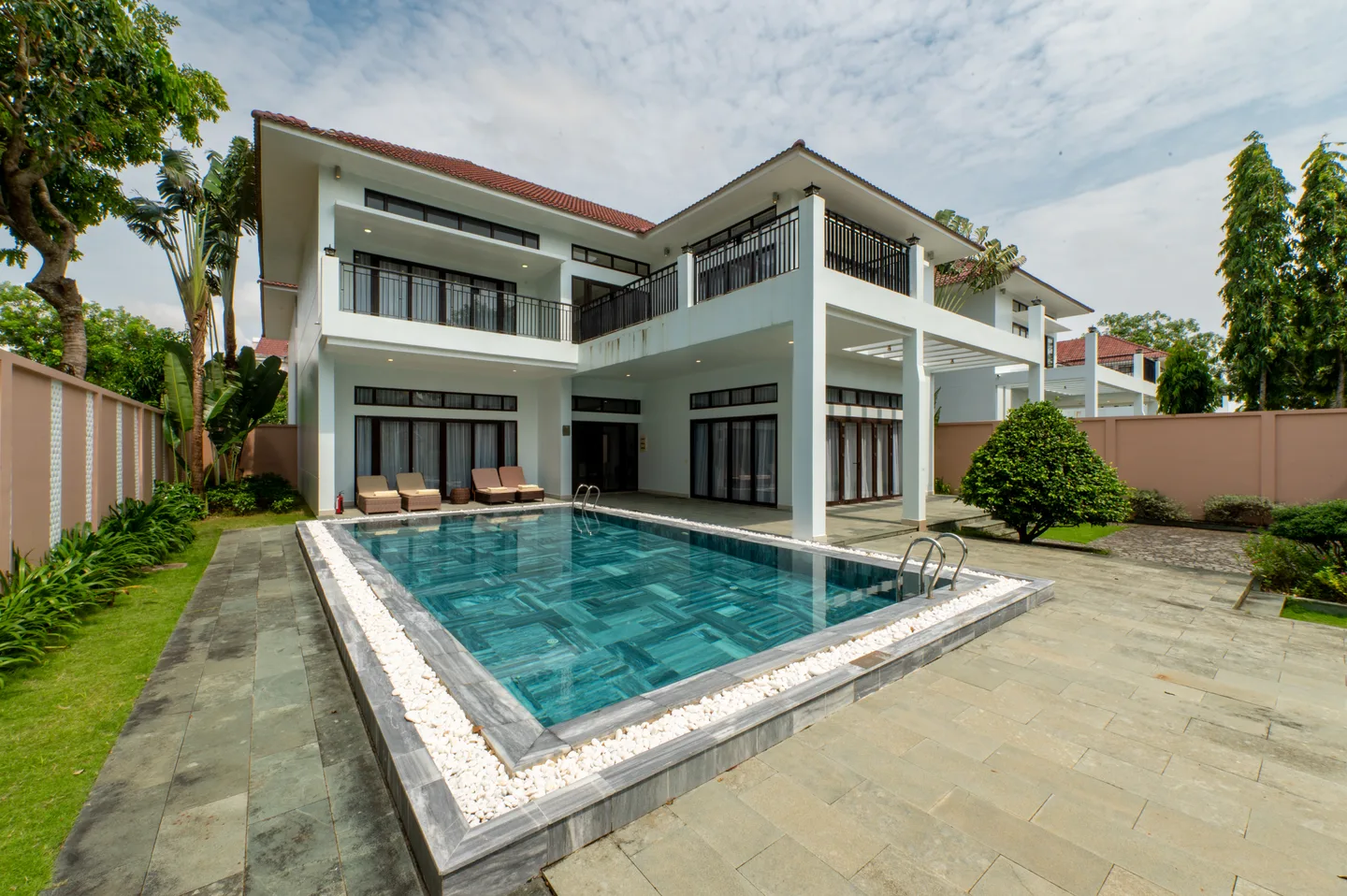
For exterior scenes, discuss the actual building orientation, light, weather alternatives and permissions with the photographer. The villa image later in this guide shows one daytime condition, not a promise of that sky or a standard time to photograph every property. If a priority cannot be completed, record the agreed change and any effect on scope before adding another visit.
Show useful amenities and access details without implying more than the image proves
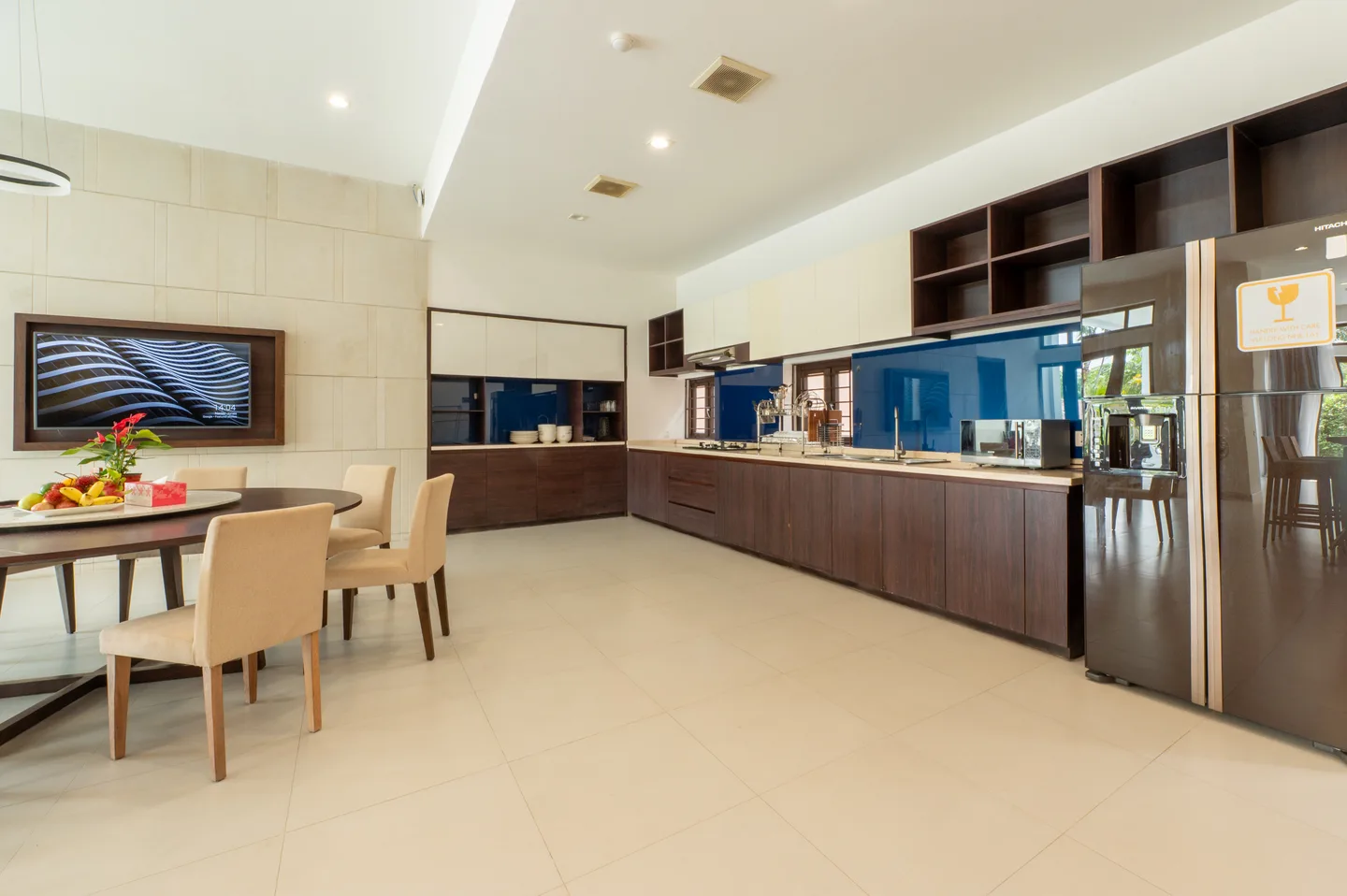
Choose amenities that help the guest understand the stay, and distinguish facilities within a unit from those shared across the property. The kitchen example shows cabinetry, dining space and appliances. It does not establish a complete equipment inventory, permission to cook or what supplies are included. Ask the property team to confirm the description attached to the image.
Include entrances, transitions, steps and routes when they resolve a practical question. Photograph access features with enough context for someone to understand their position, and obtain measured details where needed. Images can support a conversation about access; they cannot certify that a property suits every guest. Keep the written information specific and verified.
Keep nearby attractions separate from property facilities. A destination film or area image needs clear context so it does not become an apparent private beach, room view or included activity. If aerial photography is requested, assess feasibility, permissions and conditions as its own requirement. An exterior image does not establish a right to fly or make aerial work an automatic part of the shoot.
Specify photographs, film and channel versions as different outputs
For photographs, bring the layouts and the current requirements of each destination. Discuss horizontal and vertical framing, copy space, image dimensions and whether a crop loses an essential feature. A wide room view may not survive a narrow campaign crop. Confirm the required versions before capture rather than assuming every finished image can fill every placement.
For film, define the intended sequence, length, orientation and whether people, service activity, sound, titles or language versions are needed. A still-life kitchen image cannot stand in for a filmed food-service sequence. Talent, staff participation, styling, audio and music arrangements need explicit responsibilities and permissions where relevant.
Check platform requirements with the person uploading the files when delivery is scoped, and again before upload. A website export and a booking-platform master may need different sizes or treatment. Do not turn one platform’s recommendations into a universal file count or specification. Publishing assets, updating listings and managing those accounts are separate responsibilities unless agreed.
Review the selection against the room map and hand over a usable library
Check the proposed selection for coverage as well as individual image quality. Can the publisher identify each category, bathroom and facility? Are the different views accurate and current? Has an essential shot been replaced by several similar attractive frames? Resolve factual labels with the property team while the shoot information is still available.
Agree file naming, category labels, master files, channel versions, editing scope and review rounds. Record who approves the final set and who maintains the library. Keep usage permissions, credits and any restrictions alongside the files so that later teams do not have to reconstruct whether an image can be used in advertising or supplied to another partner.
When a room or facility changes, identify the assets that need replacing and where they were used. An orderly handover can make that task easier, but it does not establish a commercial result. Report production coverage and agreed deliverables as such; a claim about inquiries or bookings needs separate, reliable measurement.
Send a first brief that makes the essential scenes and open questions clear
Share the property location, room-category register, existing library and the channels that need new assets. Mark what is missing, what has changed and what must be ready for a particular launch or campaign. Include possible access dates and the person who can coordinate rooms and operating teams.
Ask the proposal to distinguish preparation, capture, selection, editing, versions and delivery. Identify approval stages and how changes or unavailable spaces will be handled. Prices, crew, quantities, delivery dates, film and any additional arrangements follow the agreed scope. If the website itself also needs work, connect the page requirements to this shot list before commissioning two unrelated projects.
- Property and unit names, room categories and representative rooms.
- Existing content audit and essential missing scenes.
- Website, listing, sales and campaign destinations.
- Photography, film and required versions.
- Access windows, preparation contacts and approval lead.
- People appearing, permissions, usage and credit requirements.
- Timing dependencies, budget guidance and open decisions.
Research and references
Reference titles are shown in their original language.
- Existing website service and integration boundaries
- Existing commercial media production scope
- Google Hotel Center: property photo recommendations
- Expedia Group: property photography toolkit
- Google Search Central: image SEO and responsive images
- Web Vitals: testing and real-user measurement
- Google: hotel search and booking-link journeys
- Phu Quoc Villa: local property information and inquiry context